URL Parameter TrackingProNew in 5.12+
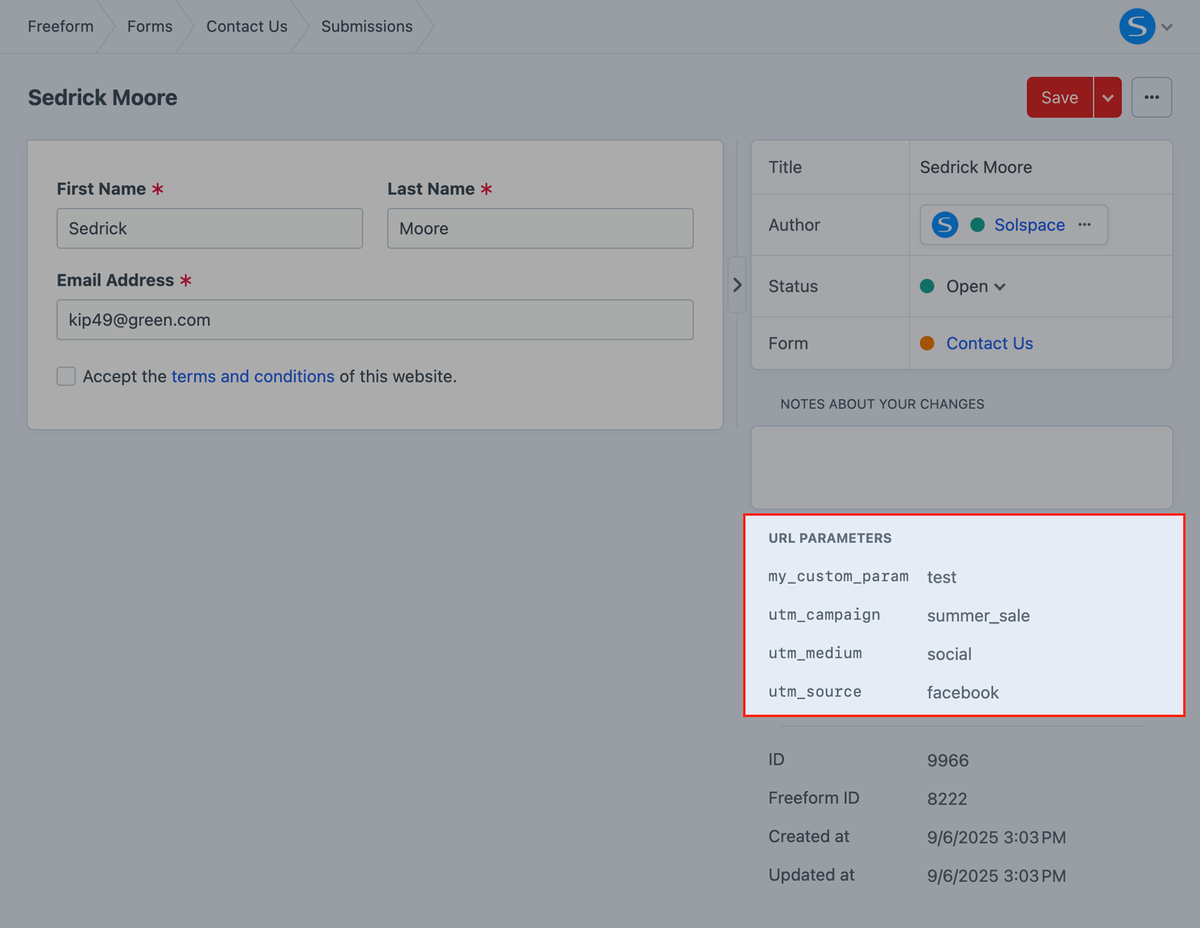
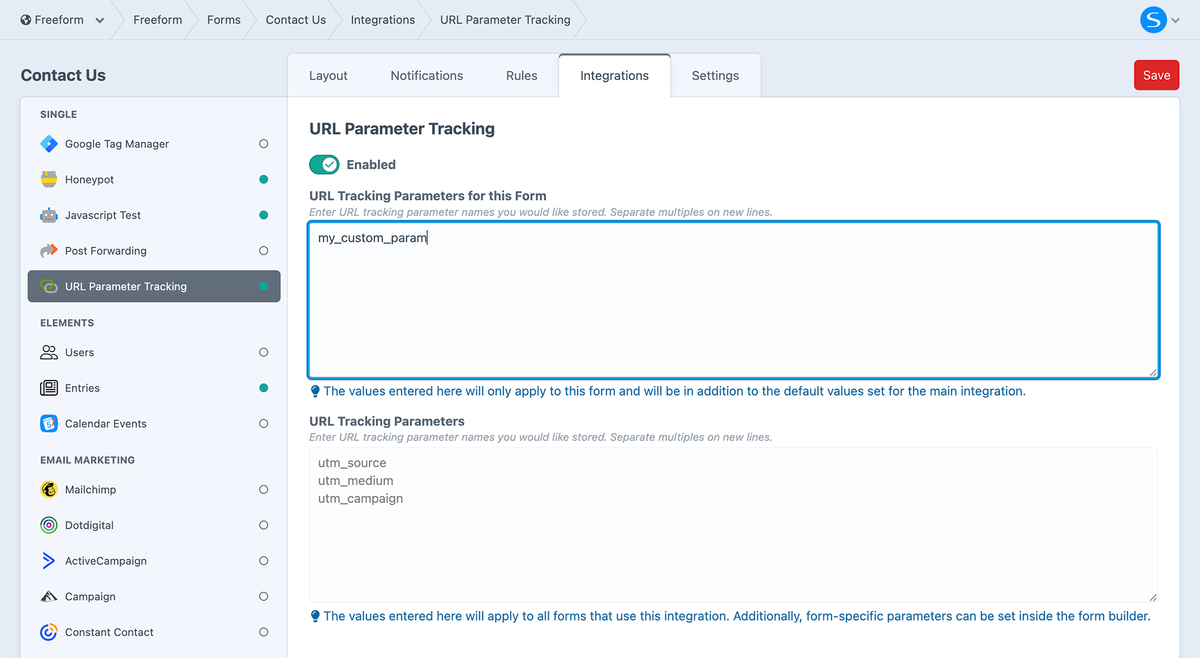
Freeform can automatically capture UTM and other URL tracking parameters (e.g., utm_campaign, utm_source, utm_medium) for every submission. Configure the expected parameter names just once globally, with the option to configure form-specific parameters in the builder, and Freeform handles the rest. Optional cookie storage ensures that even if tracking parameters are no longer present in the URL, they can still be captured with the submission.
Setup Instructions
1
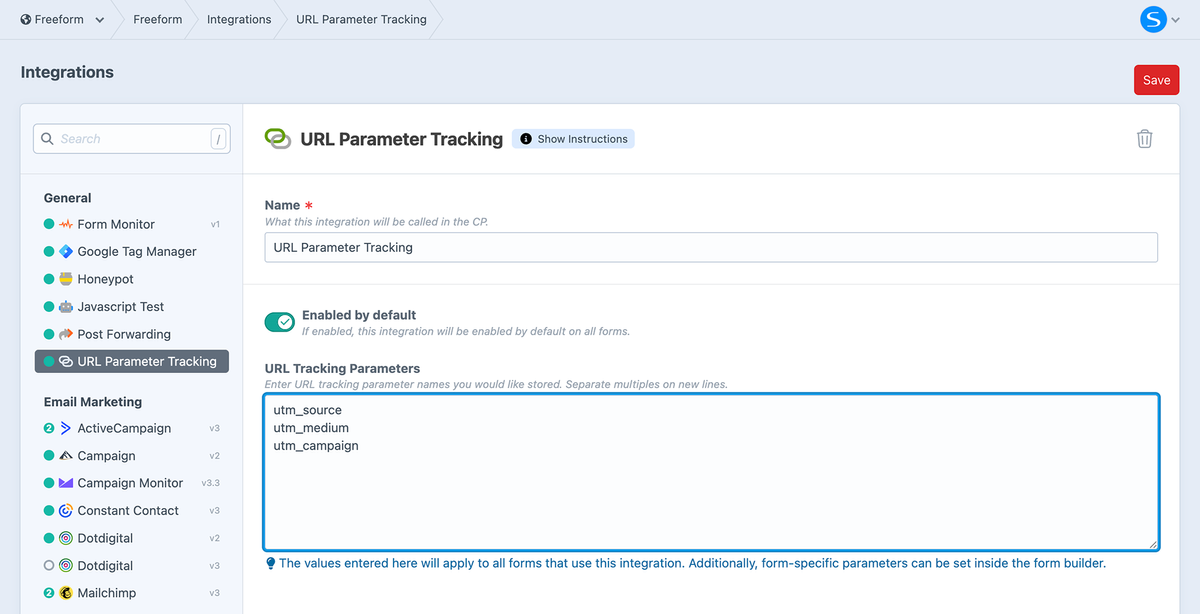
Configure Global Tracking Parameters
- Add any URL tracking parameters you'd like the integration to detect by default:
- E.g.
utm_source,utm_medium,utm_campaign, etc.
- E.g.
- Store in CookiesNew in 5.15+
- Save tracked parameters in cookies so they can be reused by Freeform later.
- Cookie LifetimeNew in 5.15+
- How long tracked parameters should be stored in cookies (in minutes).
2
3
Configure Integrations & Notifications
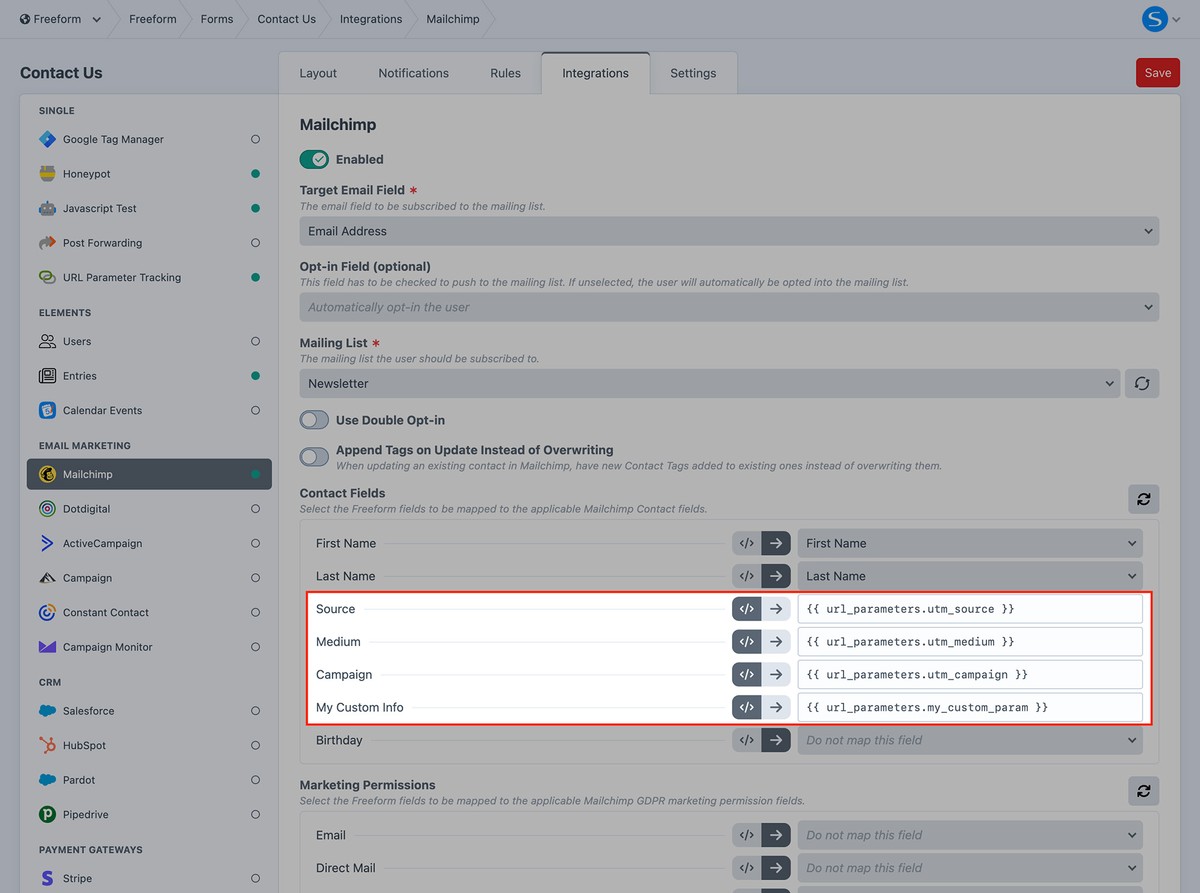
If you wish you include any URL parameters in email notifications or pass off to an integration, you can do so using {{ url_parameters.param_name }}.
For example:
{{ url_parameters.utm_source }}
{{ url_parameters.utm_medium }}
{{ url_parameters.utm_campaign }}
{{ url_parameters.my_custom_param }}
{{ url_parameters.some_test == "test" ? "this is a test" : "this is NOT a test" }}
4
Example URL
https://mysite.net/contact?utm_source=facebook&utm_medium=social&utm_campaign=summer_sale&my_custom_param=test
5
Results inside CP Submission details