Demo TemplatesImproved in 5.17.3+
This settings page is read-only when Craft's allowAdminChanges setting is false.
Freeform includes demo templates you can install on your site to preview existing forms, compare formatting templates, explore submissions, and try customization examples.
In Freeform 5.17.3+, the demos include searchable Cards and List views, a responsive navigation menu, clearer formatting-template previews, and redesigned submission and example pages. Reinstall the demos after upgrading to receive these files.
Installing the Demo Templates
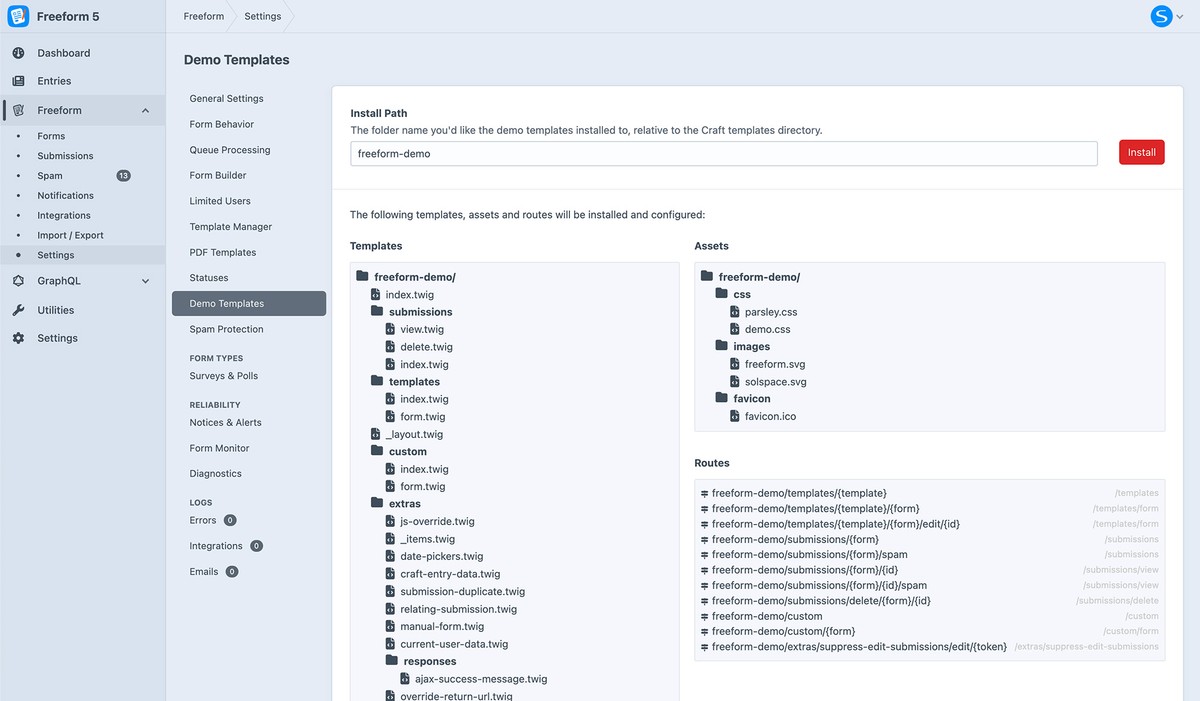
Open Freeform → Settings → Demo Templates.
Enter an Install Path, or keep the default freeform-demo.
Click Install.
Visit your site's /freeform-demo/ URL, replacing freeform-demo with your chosen path.
The installer copies the bundled templates and assets and creates the routes needed by the demos.
With the default install path, the locations are:
| Item | Location |
|---|---|
| Twig templates | templates/freeform-demo/ |
| Public assets | assets/freeform-demo/ inside your site's public directory |
| Demo URL | https://example.com/freeform-demo/ |
Freeform creates the asset directory if it does not already exist. The installation page lists the files and routes it will install.
Exploring the Demos
Select a form and formatting template to preview your existing forms in different layouts.
| Section | Purpose |
|---|---|
| Forms | Search existing forms and preview them with bundled templates or Form default. |
| Submissions | Browse submitted data and spam, open individual entries, and try the editing and deletion examples. |
| Examples | Browse examples of custom rendering, AJAX behavior, and other template techniques. |
Find and Preview FormsNew in 5.17.3+
Use Search forms to filter by name or description, and switch between Cards and List views. Form colors and available Craft 5 form icons help identify each form; submission and spam counts link to its entries. The demos render icons with form.iconSvg; use form.icon when you need the configured icon name.
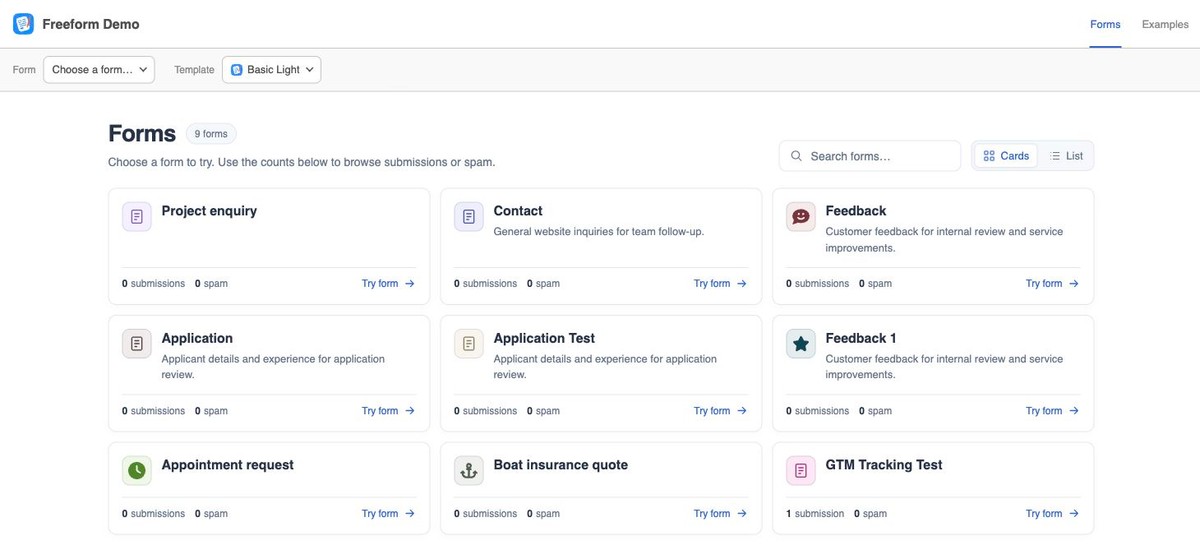
In Forms, use the formatting-template menu to compare the available layouts. Form default uses the template assigned in the form builder. The preview identifies the assigned template and loads known framework assets for bundled samples. Custom templates may need your site's CSS and JavaScript; the demo provides a Preview with Basic Light link as an alternative. Choosing a demo layout does not change the form's saved template.
Older /custom demo URLs remain aliases for the form's assigned-template preview.
Browse SubmissionsImproved in 5.17.3+
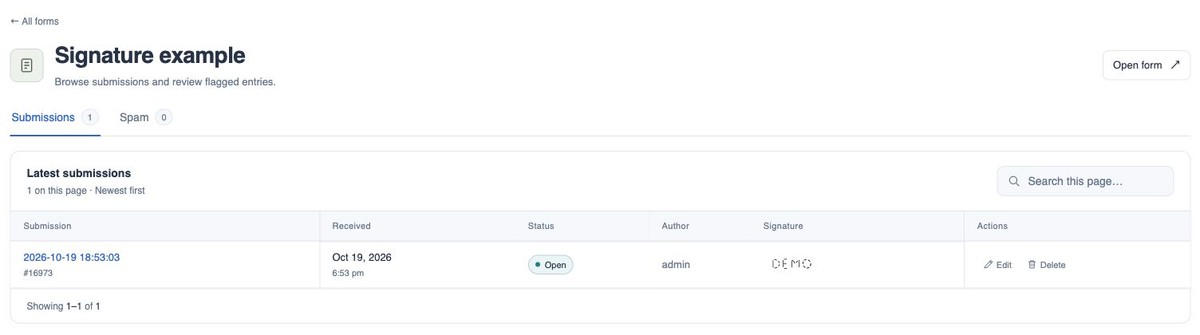
Open Submissions for a form to switch between its Submissions and Spam tabs. The table shows submission details and field values, with pagination and a Search this page filter. This filter searches only the entries loaded on the current page.
Open an entry to see field answers, uploaded files, Table values, Signature images, and submission metadata. In Pro, regular submissions offer editing and deletion actions; deletion opens a confirmation page.
Explore ExamplesImproved in 5.17.3+
Examples (the /extras section) includes an example browser, setup guidance, and links to working examples of rendering, AJAX success handling, validation, and submission behavior. The installed Twig files provide working examples you can inspect and adapt for your own site.
For a quick styling or conditional-flow check inside the control panel, use the builder's Preview tab. Its sample-template selector does not change the saved template, and Preview does not submit forms. Use the installed demos or your site's embedded forms to test real submissions and integrations.
Having trouble with a form's appearance, behavior, or submission? See Troubleshooting Form Issues.
Updating or Reinstalling
After upgrading Freeform, reinstall the demos using the same Install Path to receive the latest demo files. The installer replaces existing demo files and adds any missing routes.
Back up any changes you have made to the installed demo files before reinstalling.
To remove the demos when you no longer need them, follow Removing Demo Templates.
Troubleshooting
If installation fails, check the error displayed on the installation page. Common causes include:
- The server cannot write to the Craft template directory or public asset directory.
- Your Craft configuration prevents administrative changes.
- Craft cannot save the required routes.
Resolve the relevant permissions or configuration issue, then retry installation. If automatic installation is unavailable, use the Manual Install instructions below.
Manual Install
These instructions use demo as the template folder, asset folder, and URL prefix.
Copy the Templates and Assets
Locate Freeform's bundled src/codepack/ directory. In the monorepo layout, it is located at:
vendor/solspace/craft-freeform/packages/plugin/src/codepack/
Copy its contents as follows:
| Bundled folder | Destination |
|---|---|
codepack/templates/ | Your Craft template directory, as templates/demo/ |
codepack/assets/ | Your public asset directory, as assets/demo/ |
Create the public assets directory if it does not already exist.
In the copied files, replace any %prefix% placeholders with demo. In particular, update the placeholder in templates/demo/_layout.twig so the navigation and asset URLs resolve correctly.
Add the Routes
Add the following entries to the array returned by config/routes.php, preserving any existing routes:
'demo/forms/<*:[^\/]+>' => ['template' => 'demo/forms'],
'demo/forms/<*:[^\/]+>/<*:[^\/]+>' => ['template' => 'demo/forms/form'],
'demo/forms/<*:[^\/]+>/<*:[^\/]+>/edit/<*:[^\/]+>' => ['template' => 'demo/forms/form'],
'demo/submissions/<*:[^\/]+>' => ['template' => 'demo/submissions'],
'demo/submissions/<*:[^\/]+>/spam' => ['template' => 'demo/submissions'],
'demo/submissions/<*:[^\/]+>/<*:[^\/]+>' => ['template' => 'demo/submissions/view'],
'demo/submissions/<*:[^\/]+>/<*:[^\/]+>/spam' => ['template' => 'demo/submissions/view'],
'demo/submissions/delete/<*:[^\/]+>/<*:[^\/]+>' => ['template' => 'demo/submissions/delete'],
'demo/custom' => ['template' => 'demo/custom'],
'demo/custom/<*:[^\/]+>' => ['template' => 'demo/custom/form'],
'demo/extras/suppress-edit-submissions/edit/<token:\w+>' => ['template' => 'demo/extras/suppress-edit-submissions'],
Visit https://example.com/demo/ to open the demos.
Live Demo
Explore the hosted Freeform demo below or open it in a separate tab. Some sections and data are limited.