Installing & Updating
 Requirements
  Installation
  Updating
  Purchasing
  Troubleshooting
 Requirements
AI Assistant 1.x supports Craft 5.x. It meets mostly the same requirements as listed on the Craft Requirements page.
- Craft 5.0.0+
- PHP 8.2.0+
- MySQL 8.0.17+ using InnoDB, MariaDB 10.4.6+, or PostgreSQL 13+
- 256MB+ of memory allocated to PHP
- Active/Valid API key(s) for one or more configured providers:
- OpenAI
- Google Gemini
- Anthropic
- xAI
- Replicate
Installation
AI Assistant can be installed one of two ways:
- Composer (CLI)
- Control Panel
AI Assistant can be installed by running the following set of commands in your favorite CLI app: Recommended
Open your Craft project
cd /path/to/project
Get AI Assistant
- Latest Version
- Specific Version
composer require solspace/craft-aiassistant -w
composer require solspace/craft-aiassistant:1.0.6 -w
Install AI Assistant
- CLI
- Control Panel
Enter the following command:
./craft plugin/install ai-assistant
To install AI Assistant via the Craft control panel instead:
- Go to Settings → Plugins.
- Click the Cog button for AI Assistant
- Select Install.
Purchase
If AI Assistant is right for your site, purchase a copy of it through the Plugin Store when you're ready!
AI Assistant can be installed via the control panel by following these instructions:
Get AI Assistant
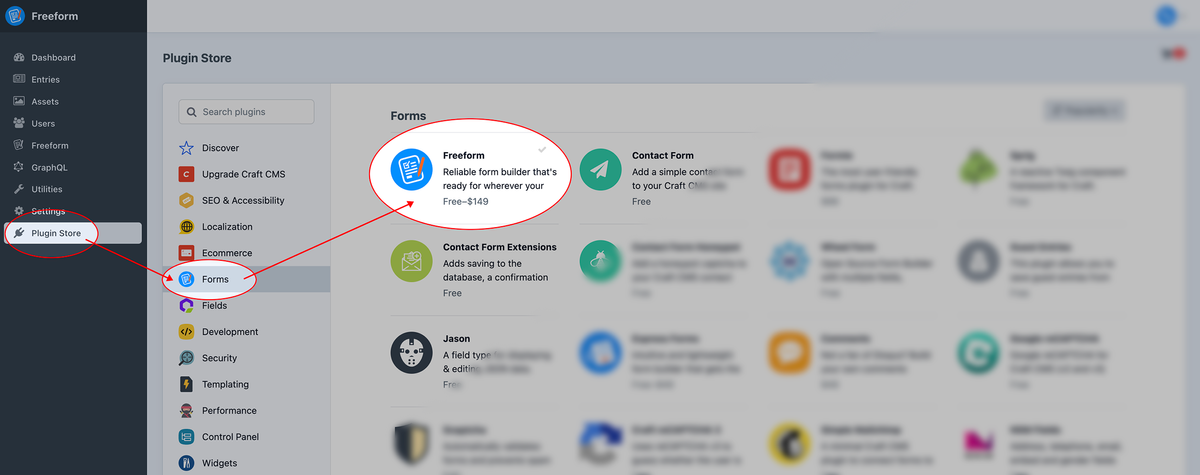
Go to the Plugin Store area inside your Craft control panel and click on AI Assistant.
Choose Edition
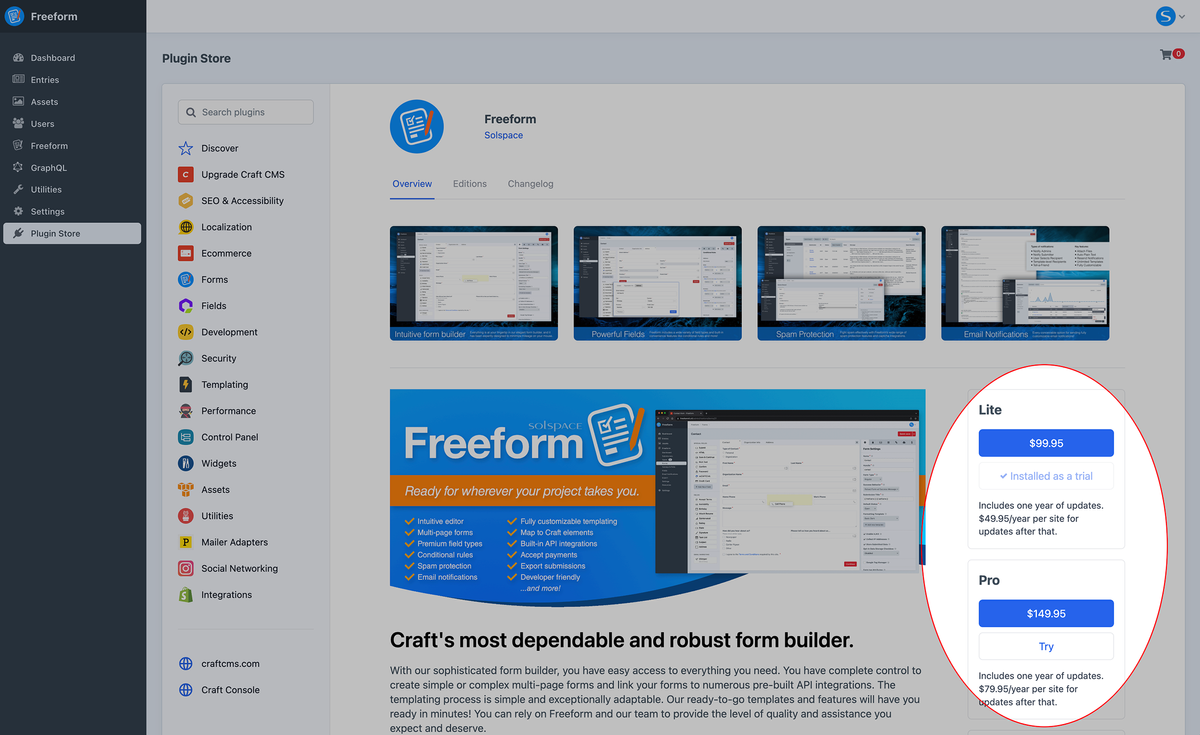
Once the product page opens, click the Try button.
Purchase
If AI Assistant is right for your site, purchase a copy of it through the Plugin Store when you're ready!
Updating
Back up your database before continuing...
If the upgrade migration fails at any point, you must be prepared to fully restore your database using the backup you created before initiating the update again. A failed migration may leave the database partially changed or other migrations may have occurred. Downgrading to an earlier version could corrupt the database and make it unrecoverable.
It is essential that you take a complete backup of your database before proceeding with this update!
AI Assistant can be updated one of three ways:
- Craft Update (CLI)
- Composer (CLI)
- Control Panel
You can use the Craft update command to update AI Assistant. Recommended
Open your Craft project
cd /path/to/project
Check for Updates
./craft update
Perform the Updates
- Latest Version
- Specific Version
./craft update ai-assistant
./craft update ai-assistant:1.0.6
You can also update AI Assistant more manually if you like, using Composer (composer update). This may also be helpful in certain scenarios where you need to workaround an issue while updating.
Update composer.json
- Latest Versions
- Locked Versions
Specifying the caret (^) before the version number will always grab the latest available version:
"require": {
    "craftcms/cms": "^5.0.0",
    "vlucas/phpdotenv": "^5.4.0",
    "solspace/craft-aiassistant": "^1.0.0",
    "solspace/craft-freeform": "^5.0.0"
},
If you are locking your versions, you will need to open your Craft site's main composer.json file and adjust the version number for AI Assistant (see guide below).
"require": {
    "craftcms/cms": "5.8.1",
    "vlucas/phpdotenv": "5.4.0",
-   "solspace/craft-aiassistant": "1.0.2",
+   "solspace/craft-aiassistant": "1.1.5",
    "solspace/craft-freeform": "5.14.3"
},
Open your Craft project
cd /path/to/project
Get Updates
composer update
Run Migrations
- Craft and All Plugins
- AI Assistant only
- Control Panel
./craft migrate/all
./craft migrate --plugin=ai-assistant
Proceed to the Craft control panel and click the Finish Updates button if it shows.
We strongly advise against using the Control Panel for updates and migrations.
We strongly advise against using the Control Panel for updates and migrations.
Check for Updates
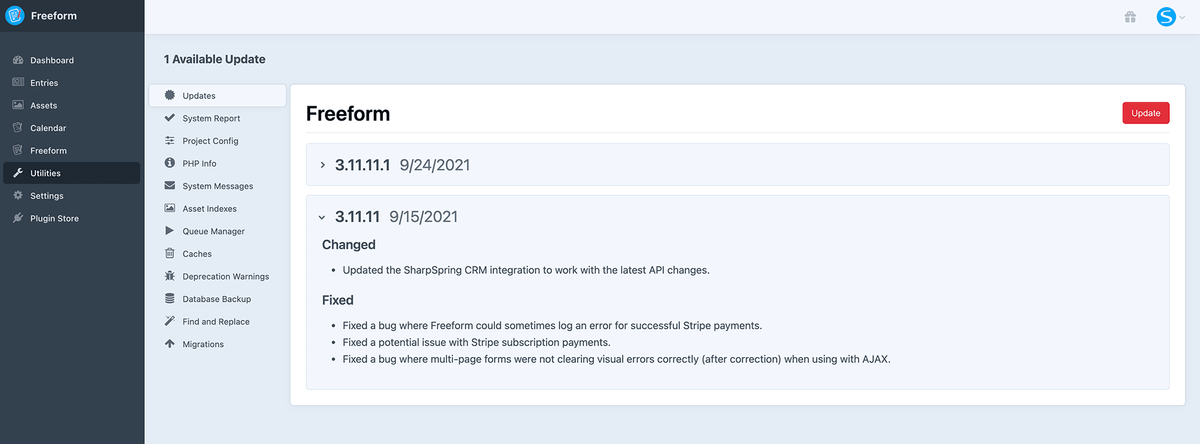
Go to the Craft Updates area inside the control panel (Utilities → Updates) and review the changelog for AI Assistant.
Run Updates
Simply click the Update button and Craft will do the rest.
Disable AI Assistant
AI Assistant can be temporarily disabled from the CLI or control panel. The benefit of this is to troubleshoot potential issues and conflicts while preserving your data until a proper fix or change to the site is made.
- CLI
- Control Panel
Open your Craft Project
cd /path/to/project
Disable AI Assistant
./craft plugin/disable ai-assistant
Go to Settings → Plugins.
Click the Cog button for AI Assistant
Select Disable.
Uninstall AI Assistant
Follow the steps below to uninstall AI Assistant from your site.
This action cannot be undone. All of your AI Assistant data be will lost forever, unless you have made a backup.
- CLI
- Control Panel
Open your Craft Project
cd /path/to/project
Uninstall AI Assistant
./craft plugin/uninstall ai-assistant
Remove Dependencies
Do not remove a plugin package with Composer before uninstalling it from the control panel or with Craft's CLI.
composer remove solspace/craft-aiassistant
Go to Settings → Plugins.
Click the Cog button for AI Assistant
Select Uninstall.
Purchasing
- Trialing
- Purchasing
- Renewals
Craft allows you to trial third-party plugins to see if they're right for your needs. We recommend trying any commercial plugin first before buying it. You can trial any plugin or Craft CMS itself by running your site from any domain that Craft does not consider to be a public domain.
If this is your first time purchasing a third-party plugin, here's an overview of the purchasing process of plugins. You may purchase licenses for plugins either via the Craft Plugin Store website or directly through the Craft Control Panel. For the latter, here is the process:
Go to the Plugins section of your Craft control panel (Craft CP → Settings → Plugins).
For the plugin(s) that need to be purchased, click the Buy Now button to add them to your cart.
Proceed to purchase the plugin directly inside your Craft control panel. If you think you'll need updates and product support beyond the first year, you can optionally pre-purchase renewal years. You can also purchase renewals later after expiry.
Once purchased, the current trial license key for the AI Assistant will become valid. These product keys can also be accessed and managed later on in your Craft Console account by visiting the Plugins area.
If you encounter any issues with licensing your plugin, please refer to the Troubleshooting guide below.
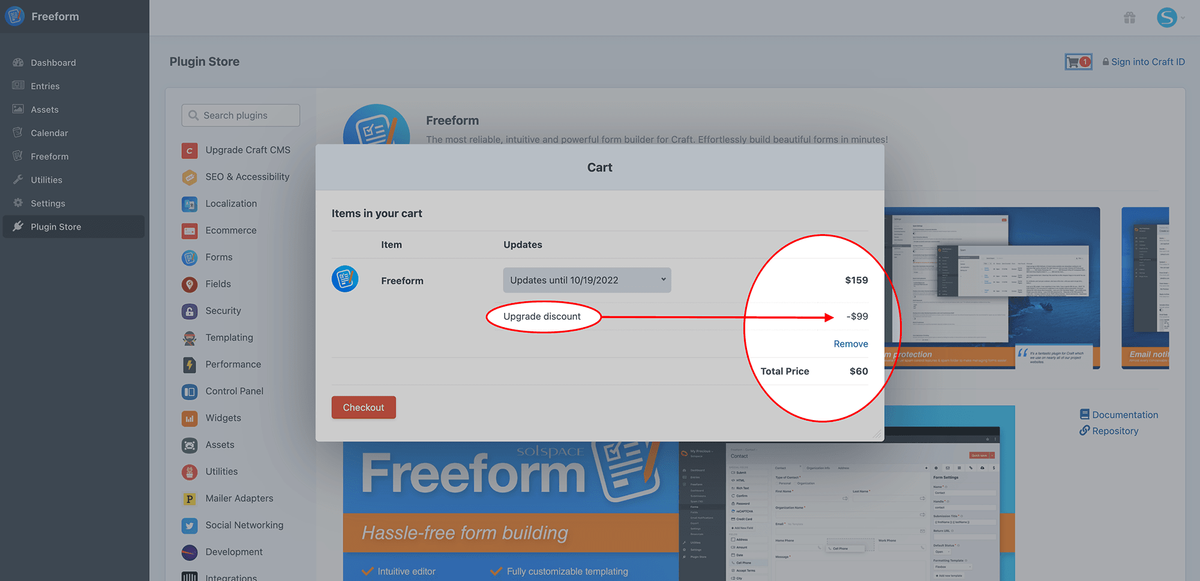
Renewals are not required to continue using AI Assistant past the one-year term, but they are required if you wish to update to newer versions of AI Assistant and receive official support from Solspace. Renewals can be set to automatic, or you may also purchase a renewal directly through the Craft Control Panel or via the Craft Console website.
Understanding versions and composer update
- For example, under the
"require"area, change"solspace/craft-aiassistant": "1.0.2",to"solspace/craft-aiassistant": "1.1.3",. - You can also use
~and^to somewhat automate your updating process.1.0.0- means exactly & only this version~1.0.0- means this version & any patch release (up to1.0.99̅)^1.0.0- means this version & any minor release (up to1.99̅.99̅)- Specifying
"solspace/craft-aiassistant": "^1.0.0",for example, would always get you the latest version of AI Assistant 1.x (e.g.1.1.9), but never the next major version of AI Assistant like 2.x.
- Specifying
Your final composer.json file might have something like this:
"require": {
    "craftcms/cms": "^5.0.0",
    "vlucas/phpdotenv": "^5.4.0",
    "solspace/craft-aiassistant": "^1.0.0",
    "solspace/craft-freeform": "^5.0.0",
},
Troubleshooting
Third-party plugin licenses are managed and validated entirely by Craft. Some issues may require that you contact the Craft Team directly if issues persist. The following troubleshooting tips account for the most common issues we've seen our customers report to us: