Element Field Types
Freeform includes a Freeform Forms and Freeform Submissions2.5.0+ fieldtype, which allows you to assign/relate forms and submissions to other element types such as Craft Entries. Here's an overview on how to use these fieldtypes:
Creating the Field
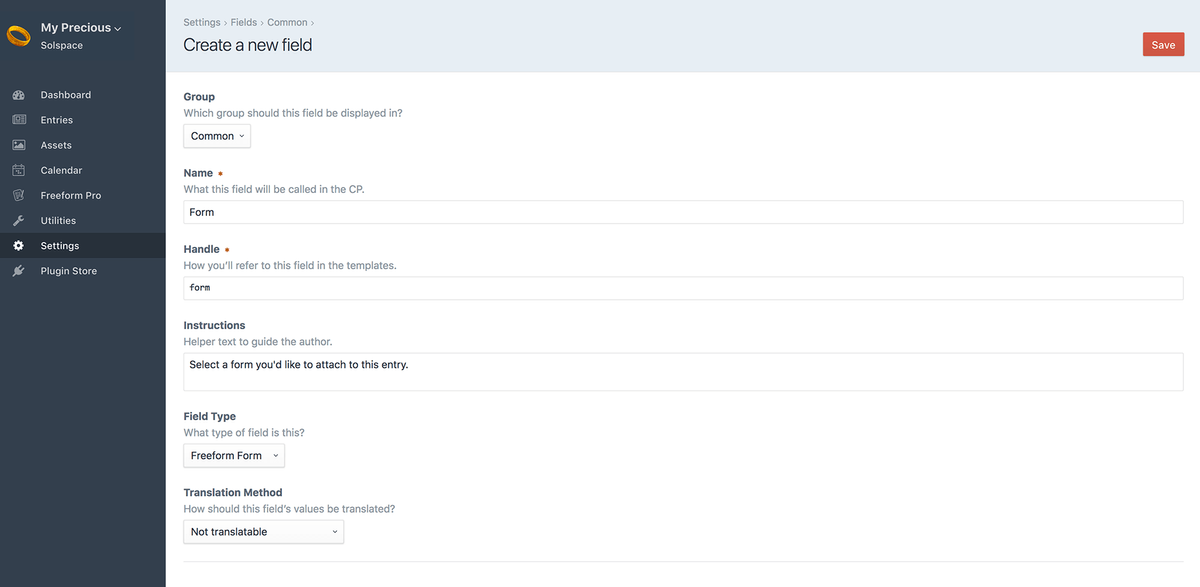
Creating a Freeform Form field is done just like any other fieldtype, here's an overview of the process:
Go to the Settings area in Craft control panel. Click on Fields.
Click the New field button in the top right corner.
Name the field as you wish. For example: Related Form with a handle of relatedForm.
For the Field Type option, select Freeform Form from the list.
Selection Label is the text that will appear on the button which opens the Freeform Form selection pop-up dialog.
Click the Save button in the top right corner to save the new field.
Your Freeform Form field is now available to be assigned to other sections.
How it Works
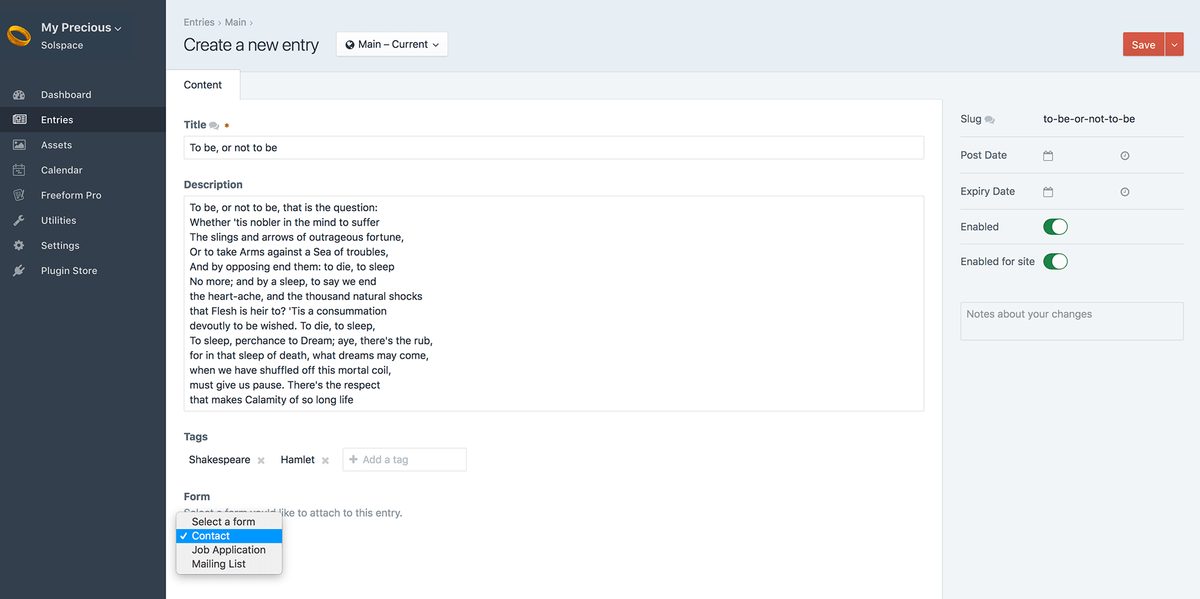
The Freeform Form fieldtype lets the user assign any Freeform form to any element: a section Entry, Categories, Assets, etc.
Template Properties
The following are template properties are available for the Form fieldtype:
name#- Outputs the name of the form
handle#- Outputs the handle of the form
id#- Outputs the unique ID of the form
description#- Outputs the description of the form
render()#- Outputs the full form, rendering it with the Formatting Template specified in the form builder for the form.
Examples
Freeform Form Field in Entries
An example of template code you would use to display a Freeform form (with field handle of myFreeformFieldName) that is attached to a Craft Entry would look something like this:
{% for entry in craft.entries.section('news').limit(10) %}
    <div class="entry">
        <h2><a href="{{ entry.url }}">{{ entry.title }}</a></h2>
        {{ entry.summary }}
        {% if entry.myFreeformFieldName is defined and entry.myFreeformFieldName is not empty %}
            <h3>{{ entry.myFreeformFieldName.name }}</h3>
            {{ entry.myFreeformFieldName.render() }}
        {% endif %}
    </div>
{% endfor %}
If you'd like to automatically pass content from another element (such as a Craft Entry) into Freeform field(s), you'd have to use the overrideValues property inside your formatting template.
For example, if you want to pass a title of an entry to a Freeform field, and the entry slug was in the second segment of your URL, you should set that in your formatting template. Also be sure to include a hidden Freeform field in your form (in this case called entryTitle). Your formatting template code might look something like this:
{% set entry = craft.entries.slug(craft.app.request.getSegment(2)).one() %}

{{ form.renderTag({
  overrideValues: { entryTitle: entry.title }
}) }}