SignatureProImproved in 5.17.3+
A field that allows visitors to handwrite a signature with a mouse, touch, or pen. The field.type property value is signature (for conditionals).
- Light template
- Dark template
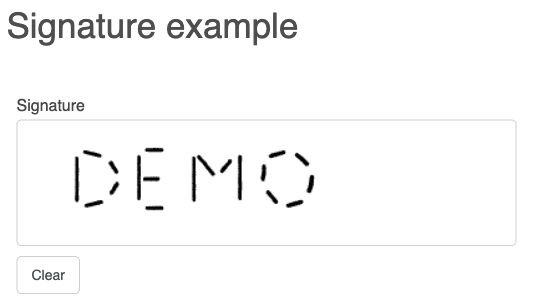
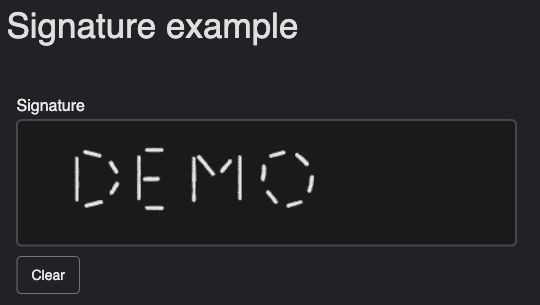
Settings
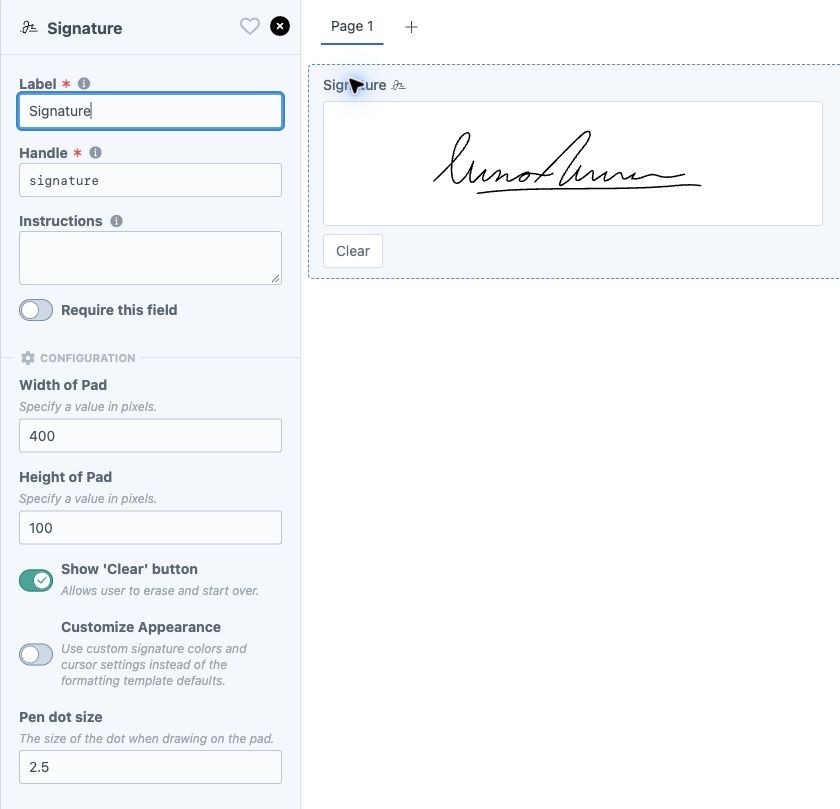
- Width of Pad and Height of Pad - set the writing area's dimensions in pixels. These also determine the saved image dimensions for Twig-rendered fields, even when the pad is displayed at a different size.
- Show 'Clear' button - let visitors erase their signature and start over.
- Pen dot size - set the size of the pen dot in pixels.
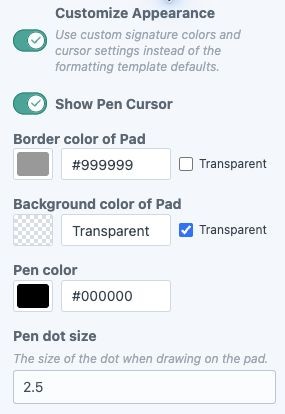
- Customize AppearanceNew in 5.17.3+ - enable custom display colors and cursor settings. When disabled, the pad uses the formatting template's defaults.
- Show Pen CursorNew in 5.17.3+ - when customizing the appearance, choose whether to show a pen cursor over the pad.
- Border color of Pad, Background color of Pad, and Pen color - available when Customize Appearance is enabled. Background and border colors support transparency.
- Template defaults
- Custom appearance
Template Defaults and Existing FieldsNew in 5.17.3+
New Signature fields start with Customize Appearance disabled. Bundled styled formatting templates provide a matching writing surface, border, Clear button, and pen cursor. Dark templates display light ink on a dark surface. Custom colors take precedence when Customize Appearance is enabled.
Existing fields without the new setting keep their configured appearance. Turn off Customize Appearance to adopt the current template defaults. Updating Freeform does not rewrite existing saved signature images.
Responsive SizingNew in 5.17.3+
Bundled styled formatting templates shrink the pad to fit narrower screens and allow it to grow to 125% of its configured width. The aspect ratio and drawing alignment are preserved, and the saved image keeps the configured dimensions. For example, a 400 × 100 pad can display up to 500 × 125 pixels while still saving a 400 × 100 image.
The unstyled Flexbox and Grid templates retain their existing sizing. Existing custom template copies need the new form attributes and supporting CSS to use responsive sizing.
Custom Formatting Templates
To use the bundled appearance and behavior, copy the Signature-related attributes, field overrides, and CSS from the latest version of your chosen sample template. Keep the generated canvas attributes and render the field with field.render() or field.renderInput().
For your own styling, add the following attributes to the existing form.renderTag() options in your custom template, preserving its other options:
{{ form.renderTag({
  attributes: {
    form: {
      'data-freeform-signature-responsive': true,
      'data-freeform-signature-max-scale': 1.25
    }
  }
}) }}
Use a maximum scale of 1 to allow shrinking without enlargement. Other positive values change the growth limit; the default is 1.25.
Include responsive CSS with your custom styles:
form[data-freeform-signature-responsive] .freeform-signature-wrapper {
  min-width: 0;
  width: 100%;
  max-width: var(--ff-signature-max-width, 100%);
}

form[data-freeform-signature-responsive] canvas[data-signature-field] {
  box-sizing: border-box;
  display: block;
  width: 100%;
  max-width: 100%;
  height: auto;
  padding: 0 !important;
  touch-action: none;
}
Freeform sets --ff-signature-max-width from the configured pad width and maximum scale. The responsive attribute also enables coordinate scaling in Freeform's JavaScript; CSS sizing alone is insufficient to keep the drawing aligned. Supply your own colors and Clear button styles, or copy the complete Signature styles from a bundled template for its appearance and dark-theme treatment.
The Clear button uses the field's Input attributes, so those attributes can be used to assign its classes and styles.
Saved Images and DownloadsImproved in 5.17.3+
Newly drawn signatures are stored as black ink on a transparent background in a PNG data URL. Custom pen, background, and border colors affect the writing surface only. This also applies when drawing a new signature in an existing field with legacy display colors.
Previously saved signatures keep their original colors and backgrounds. Loading an existing image for editing does not convert it automatically.
In the control panel, Signature columns show compact image previews. Open a submission to see the larger preview and use Download PNG or Download JPG. PNG downloads preserve the saved image; JPG downloads place it on a white background. Filenames use signature-{formId}-{submissionId}.png or .jpg.
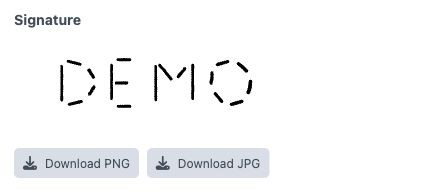
Only validated inline PNG or JPEG image data is displayed in the control panel. Empty or invalid values show no thumbnail and display No signature available. on the detail page.
Email Notifications
Signature fields are excluded from regular exports and the allFields loop in email templates. To display one in an email body, use the Including Signatures recipe.
Enable Include Attachments on a notification template to attach signatures. In 5.17.3+, Freeform attaches only validated inline PNG or JPEG image data, using the matching image format. Invalid values are skipped. See Notification Attachments.
Headless FormsImproved in 5.17.3+
The React and Vue renderers support the pen cursor and appearance settings through frontend.config.customizeAppearance and frontend.config.showPenCursor in the field manifest. Newly drawn signatures use black ink on a transparent background in these renderers too.
Required validation rejects blank taps without a drawn stroke. Clear removes the drawing and value, and resetting the form restores the reset value on the canvas. Existing valid PNG and JPEG signatures remain supported. See the React and Vue guides for extension setup.