PhoneProImproved in 5.17+
A telephone input with pattern validation or optional international phone input, including country selection and international number validation. The field.type property value is phone (for conditionals).
Settings
- Set pattern to desired format, where
0is a digit between0and9.- E.g.
(000) 000-0000or+0 0000 000000, etc. - Toggle the Use JS validation setting to have Freeform include JS in the form that validates the format and auto-inserts the extra characters like
(,-,+etc).
- E.g.
International Phone InputNew in 5.17+
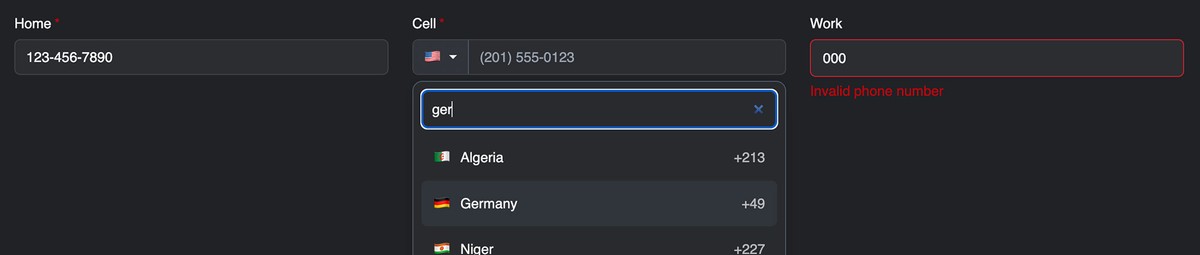
Enable Use International Phone Input setting to add a searchable country selector and validate international phone numbers. This mode replaces the field's pattern validation and built-in pattern mask.
- Default Country: Select the country initially shown.
- Allowed Countries: Enter comma-separated two-letter country codes, such as
US, CA, GB. Leave blank to allow all supported countries.
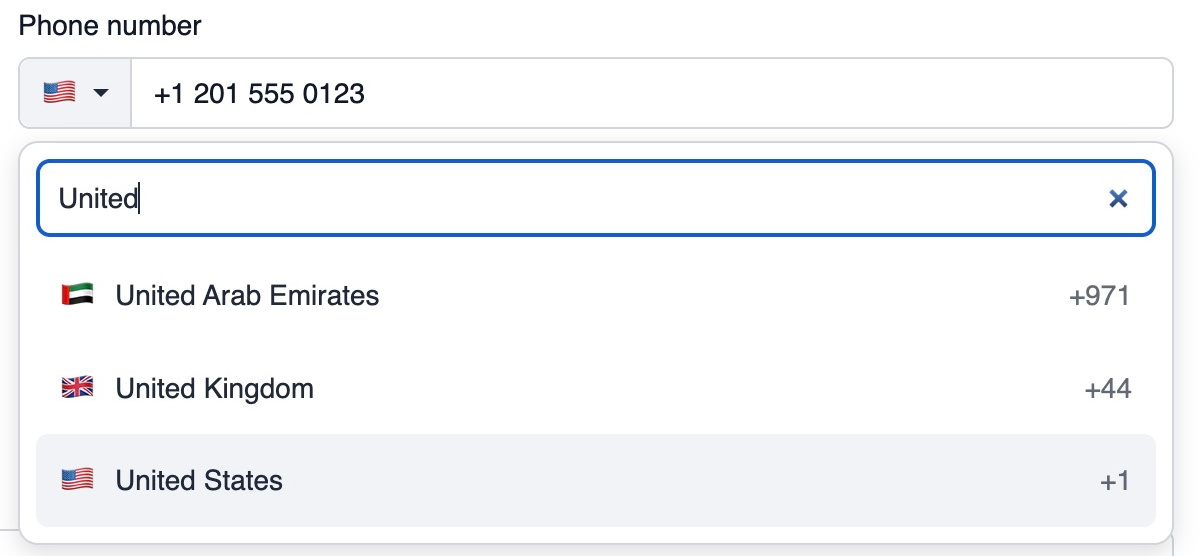
Valid numbers are saved in E.164 format, including the country code—for example, +12045551234. Validation checks the number's format and allowed country; it does not verify that the number is active.
Styling & Customization
International Phone Input
The country selector can be styled with CSS variables. Add a class to the field's surrounding element to limit your changes to that field:
<div class="my-phone-field">
  {{ field.renderInput }}
</div>
Colors
.my-phone-field {
    --ff-phone-background: #ffffff;
    --ff-phone-selector-background: #f3f4f6;
    --ff-phone-color: #1f2937;
    --ff-phone-border: #d1d5db;
    --ff-phone-highlight: #eef2ff;
    --ff-phone-dial-color: #6b7280;
}
| Variable | Controls |
|---|---|
--ff-phone-background | Country menu and search background |
--ff-phone-selector-background | Country selector button background |
--ff-phone-color | Selector and menu text |
--ff-phone-border | Selector divider, menu border, and search border |
--ff-phone-highlight | Hovered or keyboard-highlighted country |
--ff-phone-dial-color | Calling codes in the country list |
The phone input itself uses your formatting template's normal input styles. The selector button inherits its border radius.
Country List Height
Adjust the scrollable list's maximum height:
.my-phone-field .freeform-phone-options {
    max-height: 12rem !important;
}
The selector uses inline styles for layout, so direct overrides such as this require !important. The CSS variables above do not.
Placeholder and Language
Set the field's Placeholder in the form builder to use your own text. When left blank, Freeform displays an example number for the selected country.
Country names follow the input's lang attribute, then the page's language, and finally the browser's language. For example, use <html lang="fr"> to display French country names.
The Country, Search countries, and No countries found labels can be customized through Craft's translation overrides for the freeform category.
Templating
| Property | Description |
|---|---|
field.browserAutofill | The configured HTML autocomplete value. An empty string uses the browser default. |
field.international | Whether Use International Phone Input is enabled. |
field.defaultCountry | The configured default country code, such as US or CA. |
field.allowedCountries | The configured comma-separated country codes. An empty string allows all supported countries. |
field.allowedCountryCodes | An array of supported country codes after normalizing and filtering the configured list. |
field.initialCountryCode | The default country if allowed, otherwise the first allowed country. Returns null if no valid countries remain. |
field.internationalConfig | Configuration for the international phone control, including the initial country, allowed countries, example numbers, and translated interface labels. |
field.pattern | The translated validation pattern, or null when no pattern is configured or international mode is enabled. |
field.useJsMask | Whether built-in JavaScript pattern masking is enabled. Always returns false in international mode. |
Use field.render() or field.renderInput() to generate the attributes needed for browser autofill, international phone input, or pattern masking automatically.
International phone input replaces pattern validation and masking. Its internationalConfig object contains international, defaultCountry, allowedCountries, examples, and labels. The translated label keys are country, search, and empty.