Opinion ScaleProRevised in 5.0+
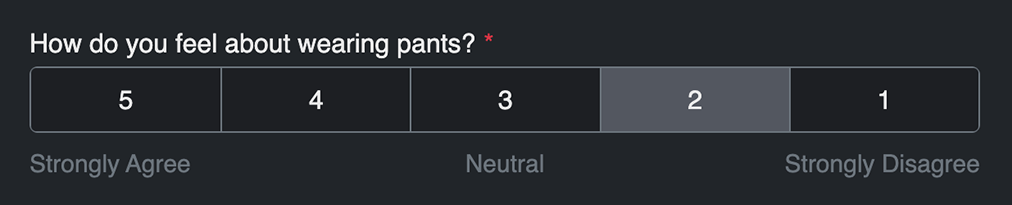
A special field that allows for flexible opinion scoring using Freeform's built in CSS. The field.type property value is opinion-scale (for conditionals). This field type is included automatically with the Pro edition of Freeform.
Settings
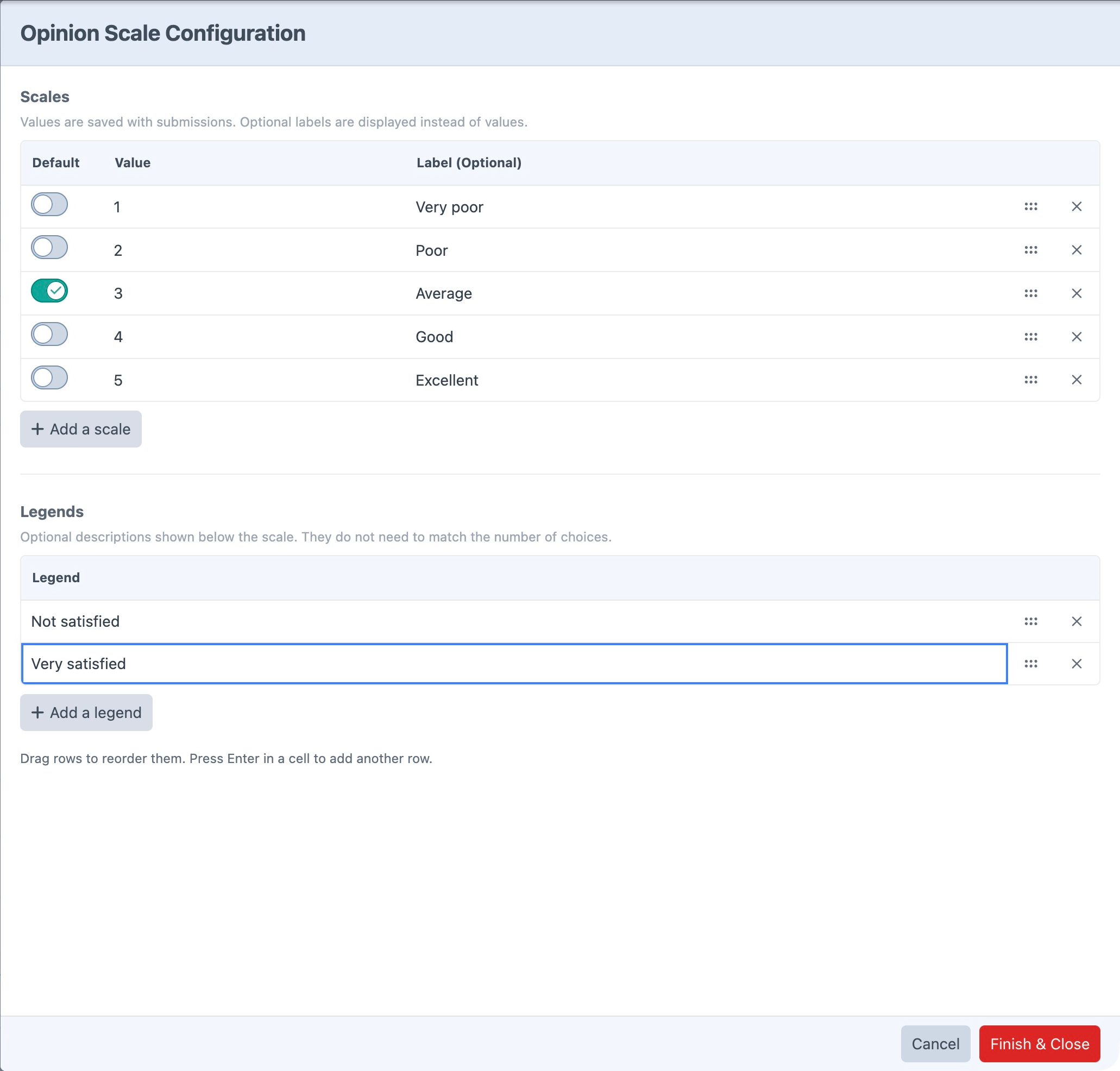
Open Scales & Legends in the field's property editor to edit Opinion Scale Configuration.
- Add or edit scale values and their optional display labels, and drag rows to reorder them.
- Turn on the control in the Default column to preselect a scale option. Turn it off again to clear the default.New in 5.17.2+
- Add optional legends, such as Less Satisfied and More Satisfied. The number of legends does not need to match the number of scale options.
- Choose Finish & Close to keep the edits in the builder, or Cancel to discard the current editing session. Save the form to persist the changes.
Styling & Customization
To manually render an Opinion Scale field to use your own styles, your code might look something like this:
{% set field = form.get("opinionScale") %}

<ul style="border: 1px dashed gray; padding: 5px;">
    {% for scale in field.scales %}
        <li>
            <input type="radio" name="{{ field.handle }}"
                value="{{ scale.value }}"
                id="{{ field.idAttribute }}-{{ loop.index }}"
                {{ field.value == scale.value ? "checked" }}
                class="hidden"
            />
            <label for="{{ field.idAttribute }}-{{ loop.index }}">
                {{ scale.label ?: scale.value }}
            </label>
        </li>
    {% endfor %}
</ul>

{% if field.legends %}
    <ul>
        {% for legend in field.legends %}
            <li>{{ legend }}</li>
        {% endfor %}
    </ul>
{% endif %}
Templating
| Property | Description |
|---|---|
field.scales | The configured scale options, including translated labels. |
field.legends | The configured legend objects, including translated labels. |