Queue Processing
Background processing and the Form Monitor queue pinging service. Open Freeform → Settings → Queue Processing to configure these options.
This settings page is read-only when Craft's allowAdminChanges setting is false.
Queue processing moves work out of the submission request. A queue runner must still process the jobs.
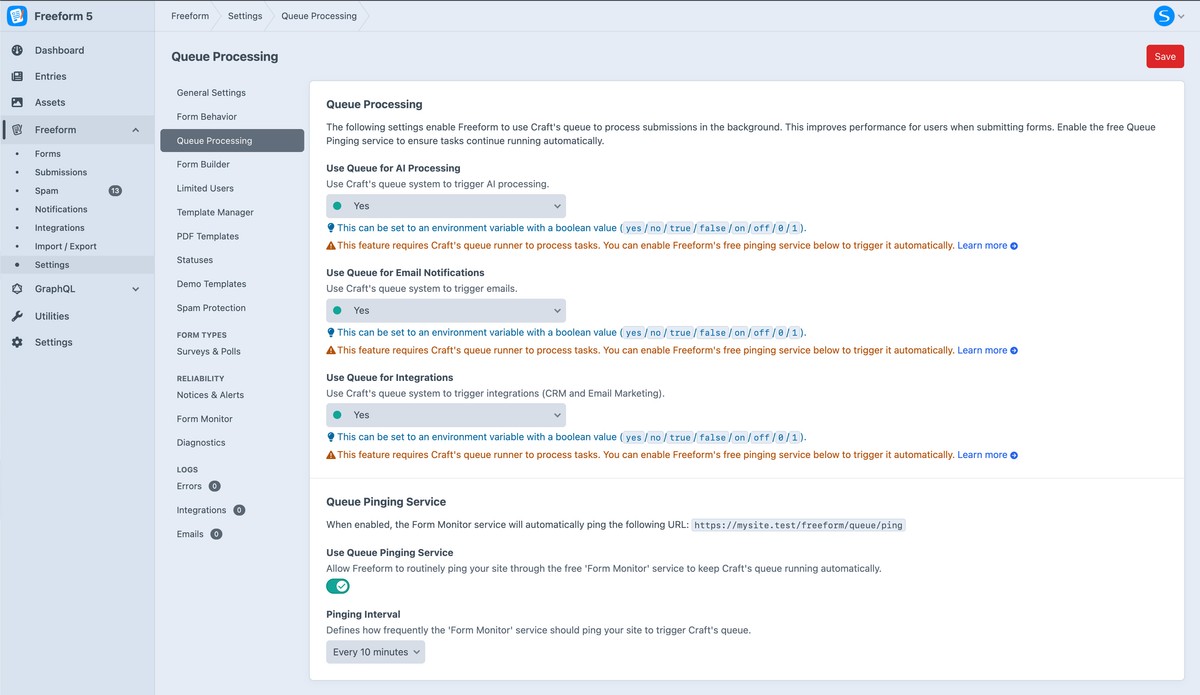
Background Tasks
Use Queue for AI ProcessingProNew in 5.13+
Process AI fields through Craft's queue instead of during the submission request.
Use Queue for Email NotificationsNew in 5.4+
Send email notifications through Craft's queue instead of during the submission request.
Use Queue for IntegrationsNew in 5.4+
Process CRM and email marketing integrations through Craft's queue instead of during the submission request.
Automated Queue Pinging ServicePro
The free Form Monitor service can keep the queue active by pinging your site at a regular interval. This is useful when the control panel receives little traffic and avoids needing to configure your own scheduled queue trigger. Activate Form Monitor before enabling pinging.
Use Queue Pinging ServiceProNew in 5.14+
Use the Form Monitor service to ping your site and trigger Craft's queue at the configured interval. Form Monitor must be activated for the site.
Pinging IntervalProNew in 5.14+
Choose how often Form Monitor pings your site. The control panel displays this interval in minutes; the configuration value is stored in seconds. The minimum interval is five minutes.
See Settings for other configuration areas and Project Config for configuration examples.