Form Behavior
Submission behavior, scripts, CSRF tokens, and saved form progress. Open Freeform → Settings → Form Behavior to configure these options.
This settings page is read-only when Craft's allowAdminChanges setting is false.
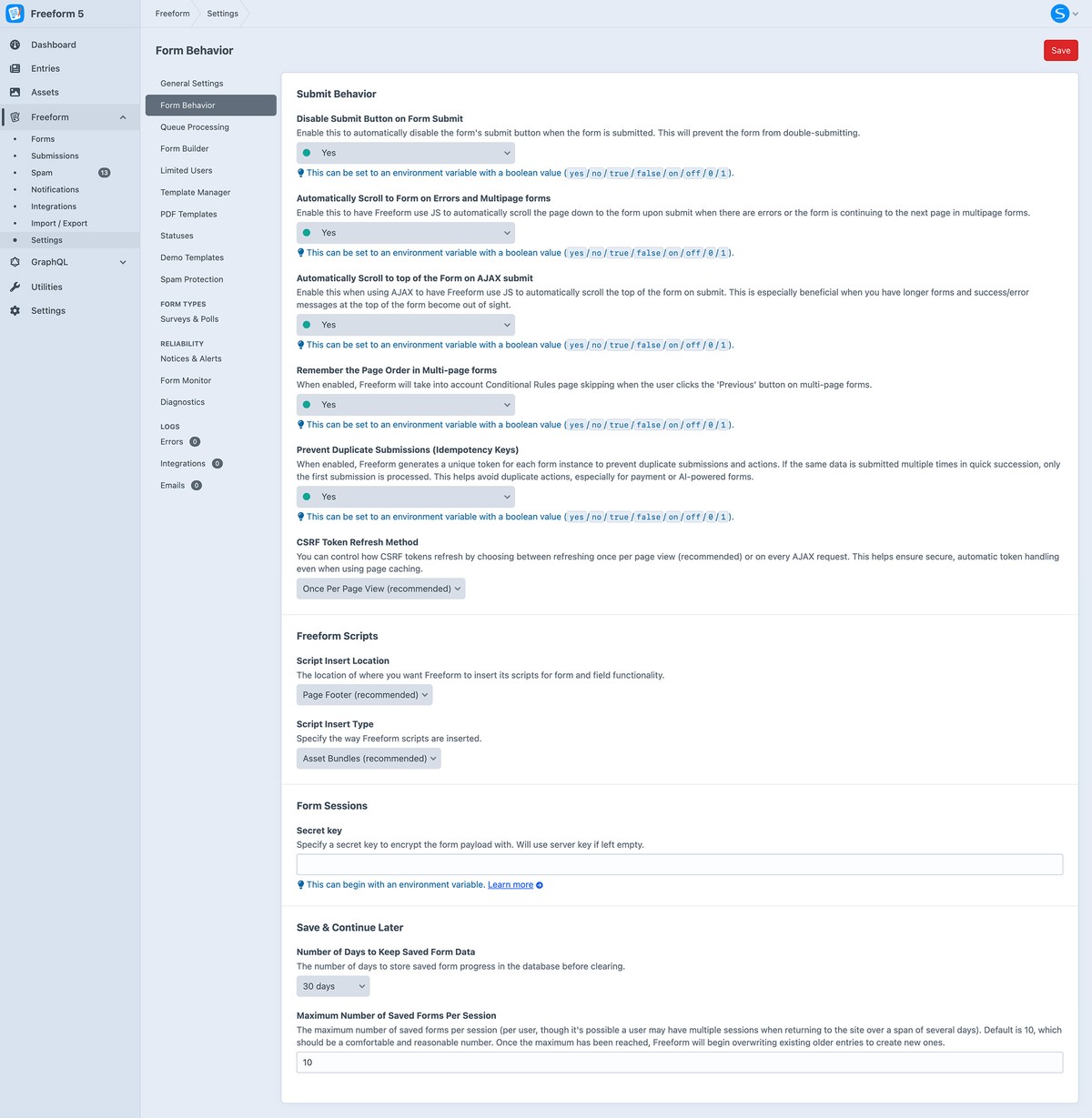
Submission Behavior
Disable Submit Button on Form Submit
Disable the submit button while a submission is being processed to reduce accidental double submissions.
Automatically Scroll to Form on Errors and Multipage forms
Scroll to the form when validation fails or a multipage form advances to its next page. You can customize this behavior with Autoscroll Events.
Automatically Scroll to top of the Form on AJAX submit
Scroll to the top of the form after an AJAX submission so success messages and errors remain visible.
Remember the Page Order in Multi-page formsLitePro
Make the Previous button follow the pages the user actually visited, including pages skipped by conditional rules.
Prevent Duplicate Submissions (Idempotency Keys)New in 5.13+
Generate an idempotency key for each form instance so repeated submissions of the same instance do not trigger duplicate processing. This is useful for payments, integrations, and AI actions.
Scripts & CSRF
CSRF Token Refresh MethodNew in 5.11+
When Craft's asyncCsrfInputs setting is enabled, choose when to refresh CSRF tokens: Once (once, recommended), Always (always), or None (none).
Script Insert Location
Choose where Freeform inserts its JavaScript: Page Footer (footer, recommended), Page Header (header), Inside Form (form), or None (manual). For manual insertion, follow the JavaScript loading guide.
Script Insert TypeImproved in 5.3+
Insert Freeform JavaScript as Asset Bundles (files, recommended) or Inline (inline).
Save & Continue Later
Number of Days to Keep Saved Form Data (Save & Continue Later)LitePro
Set how many days Freeform keeps saved progress for Save & Continue Later before clearing it.
Maximum Number of Saved Forms Per SessionLitePro
Limit how many saved forms can be associated with one session for Save & Continue Later.
Freeform Session ContextDeprecated in 5.0+
Freeform uses an encrypted payload to carry context between submissions. This stores no session context in PHP sessions or a database table and supports cached pages.
The legacy session and database modes can still be configured through Project Config in Freeform 5. PHP sessions can expire or be cleared by garbage collection; database context requires storage and cleanup. Both legacy modes are deprecated. Use payload for new implementations.
See Settings for other configuration areas and Project Config for configuration examples.