Inline Button
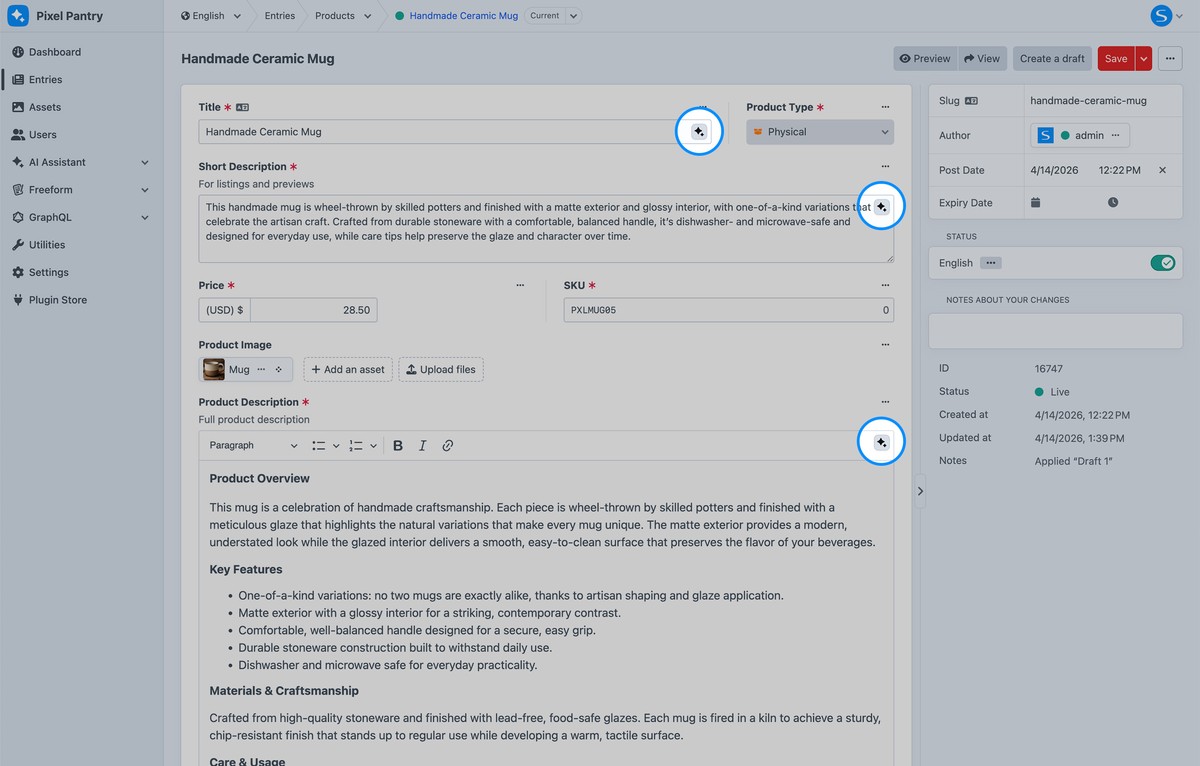
This guide will help you quickly start generating content with AI Assistant using the inline AI button directly inside supported fields when editing entries.


Setup Instructions
1
Open an entry with AI-enabled fields. The inline AI button will appear inside the input.
2
Click the button to open the Generate modal.
3
Choose a prompt and adjust the Prompt Text if needed.
4
(Optional) Enable Include input context to use existing field content.
5
Click Generate and review the result.
6
When you're satisfied with the result, click Insert to replace the field content.